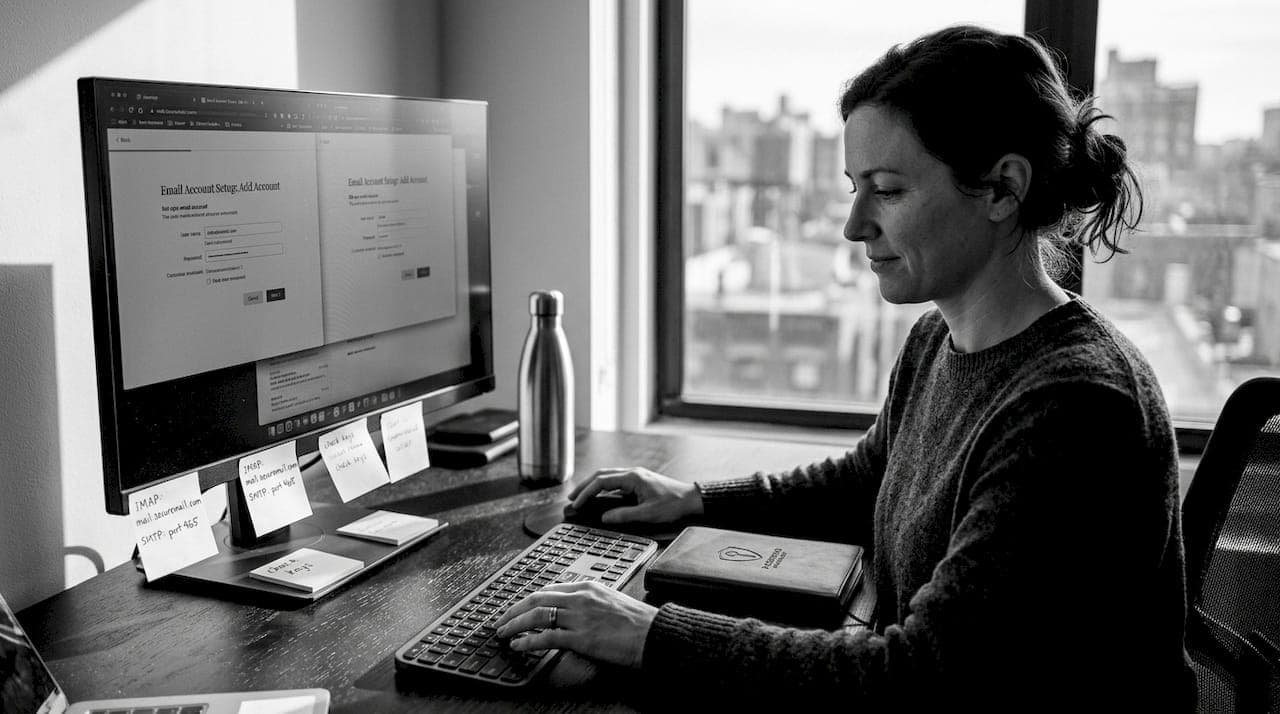
You signed up for one newsletter six months ago using your personal email. Now your inbox is flooded with promotional messages, your address has been sold to data brokers, and you've started receiving targeted ads that feel uncomfortably specific. This is not a hypothetical. It happens to millions of people every day, and the root cause is almost always the same: using a single personal email address for every online service. This guide walks you through a practical, privacy-focused email workflow that protects your real identity, cuts spam at the source, and keeps your data where it belongs.
Table of Contents
- What you need for a privacy-focused email workflow
- Step-by-step: Setting up your secure email workflow
- Advanced privacy: Encryption, legacy compatibility, and compliance
- Verifying your privacy: Testing, maintenance, and troubleshooting
- Why most people settle for convenience—and why privacy pays off
- Take your privacy further with anon.li
- Frequently asked questions
Key Takeaways
| Point | Details |
|---|---|
| Email aliases add privacy | Aliases let you use a unique address for every service, protecting your main inbox and identity. |
| Encryption is essential | Enable end-to-end encryption whenever possible to keep your messages and backups secure. |
| Test and maintain your setup | Regularly verify aliases and encrypted backups to ensure your privacy-focused workflow works as intended. |
| Convenience sacrifices privacy | Choosing mainstream email platforms often means giving up strong privacy controls and data ownership. |
| Modern tools make privacy easier | Services like anon.li, Proton, and Addy.io make secure workflows more accessible than ever. |
What you need for a privacy-focused email workflow
Having established why a privacy-focused email workflow is crucial, let's break down exactly what you'll need to get started.
The foundation of a solid privacy-focused email setup rests on two pillars: a secure primary email provider and a reliable email aliasing service. These two tools work together to keep your real address hidden while ensuring you still receive every message you actually want.
Recommended email providers
Not all email providers treat your data the same way. For privacy-conscious users, the following options stand out:
- Proton Mail: Based in Switzerland, offers end-to-end encryption (E2EE) by default, zero-knowledge architecture, and strong legal protections under Swiss privacy law.
- Tuta (formerly Tutanota): A German provider with E2EE for all messages, encrypted contacts and calendar, and an open-source codebase.
- Fastmail: Solid privacy practices, though not E2EE by default. Best paired with strong aliasing.
Recommended aliasing services
Email aliases via SimpleLogin (Proton-owned) or Addy.io/AnonAddy enable unique addresses per service, forwarding to your primary inbox while hiding your real email, and you can disable spammy aliases instantly. This is one of the most powerful privacy tools available, and most people overlook it entirely.
Here is a quick comparison of popular aliasing services:
| Service | Free tier | PGP support | Custom domains | Open source |
|---|---|---|---|---|
| SimpleLogin | Yes (10 aliases) | Yes (premium) | Yes (premium) | Yes |
| Addy.io (AnonAddy) | Yes (unlimited) | Yes (free) | Yes (paid) | Yes |
| DuckDuckGo Email | Yes | No | No | Partial |
| anon.li | Yes | Yes | Yes | Yes |
Essential features to look for
When evaluating any provider or aliasing service, prioritize these features:
- End-to-end encryption: Messages should be encrypted before they leave your device.
- Alias support: The ability to generate and disable unique addresses per service.
- Encrypted backups: Your stored data should be encrypted at rest.
- Zero-knowledge architecture: The provider should not be able to read your messages.
Optional but valuable: self-hosted options like Mail-in-a-Box or Maddy give you maximum control, though they require technical knowledge and ongoing maintenance.
Pro Tip: Prioritize aliasing services that support PGP encryption for forwarded messages. This means even your aliasing provider cannot read the content of messages before they reach your primary inbox. Look for privacy-first email aliases that offer this feature without requiring a paid upgrade.
Step-by-step: Setting up your secure email workflow
Now that you understand the tools, here's how to put them all together in a streamlined, privacy-centric workflow.
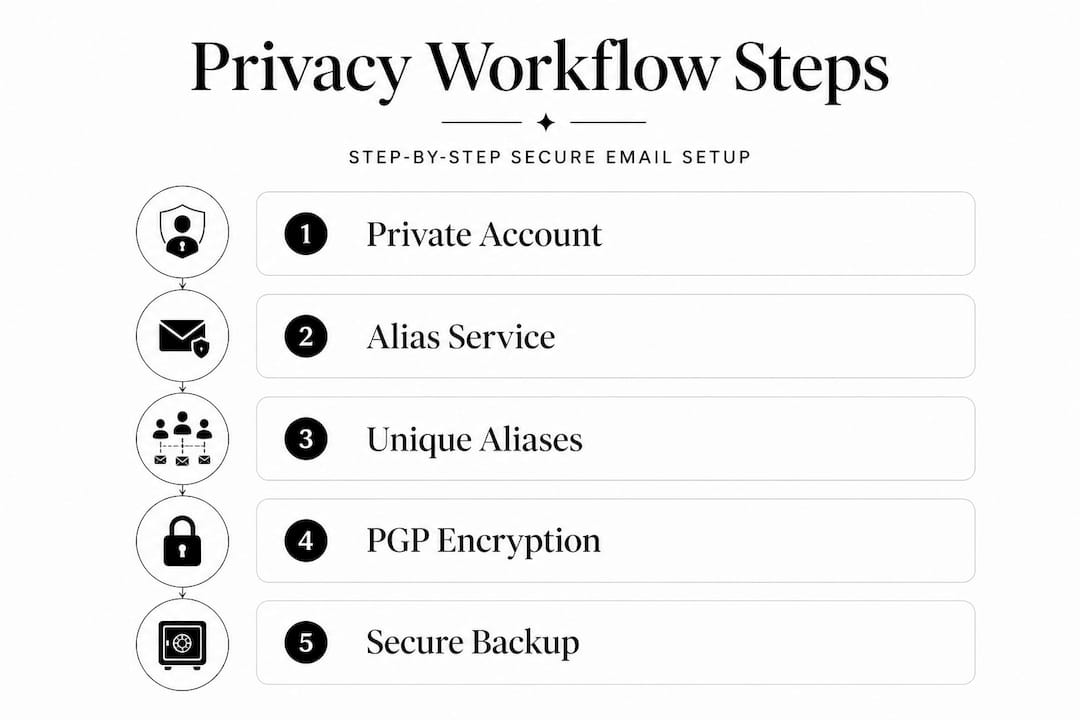
Step 1: Create your primary private email account
Start by registering with a privacy-respecting provider like Proton Mail or Tuta. Use a username that does not include your real name. During signup, avoid linking your phone number if possible. Both providers offer signup without requiring personal information.
Step 2: Set up your aliasing service
Register with an aliasing service such as Addy.io, SimpleLogin, or anon.li. Connect it to your primary inbox so all forwarded emails land in one place. Most services offer a browser extension that generates a new alias with a single click whenever you encounter a signup form.

Step 3: Create a unique alias for every service
This is the core habit that transforms your privacy posture. Assign one alias per service:
- Shopping sites: "shop-amazon@yourdomain.addy.io`
- Newsletters:
news-techcrunch@yourdomain.addy.io - Banking:
bank-chase@yourdomain.addy.io - Social media:
social-twitter@yourdomain.addy.io
When one of these aliases starts receiving spam or suspicious messages, you know exactly which service leaked or sold your data. Then you simply disable that alias. No more spam. No need to change your real email address.
Step 4: Enable PGP encryption where available
Aliases add metadata privacy but trust the forwarding service. PGP on aliases (SimpleLogin premium, Addy free) encrypts content to your primary inbox, so even the aliasing service cannot read your messages in transit.
To enable PGP:
- Generate a PGP key pair using a tool like GPG or Kleopatra.
- Upload your public key to your aliasing service settings.
- All forwarded messages will arrive encrypted to your key.
For sending encrypted replies, your primary provider (Proton Mail handles this natively) or a mail client with PGP support like Thunderbird with Enigmail works well.
Step 5: Document and back up your alias details
Create a secure, encrypted record of every alias you've created and which service it maps to. A password manager like Bitwarden or KeePassXC works well for this. Also back up your PGP private key in at least two secure, offline locations.
It is worth noting that avoiding Gmail or Outlook for privacy is strongly recommended, as both platforms scan message content for advertising and other purposes. The convenience of those platforms comes at a direct cost to your privacy.
For setting up email aliases efficiently, many users find that combining a browser extension with a password manager creates a nearly frictionless workflow. When you hit a signup form, generate the alias, save it in your password manager alongside the alias, and move on.
One email vs. alias-per-service comparison
| Approach | Spam control | Breach traceability | Privacy level | Setup effort |
|---|---|---|---|---|
| One email for all | None | None | Low | None |
| Catch-all domain | Partial | Partial | Medium | Medium |
| Alias per service | Full | Full | High | Low (with tools) |
When you need to share sensitive documents alongside your secure email setup, consider sending files anonymously using an E2EE file sharing tool rather than attaching them directly to email, where they may be scanned or stored unencrypted.
Pro Tip: Name your aliases with a consistent pattern (service name + category) so you can audit them quickly each month. An alias audit takes less than five minutes and immediately reveals which services have been sharing your data.
Advanced privacy: Encryption, legacy compatibility, and compliance
For those needing maximum privacy or regulatory compliance, a few additional steps and precautions are essential.
Implementing sign-then-encrypt correctly
Most people who use PGP do not know there is a right order of operations. RFC 9787 guidance for mail user agents (MUAs) recommends preferring "sign then encrypt," meaning the signature is placed inside the encryption layer. This matters because it prevents attackers from stripping or replacing the signature without breaking the encryption. It also guards against mangling attacks that could expose message content through direct exfiltration.
The practical takeaway: configure your email client to sign messages before encrypting them, not the other way around. Most modern clients like Thunderbird follow this order by default, but it is worth verifying in your settings.
Handling legacy email clients
Older email clients and some enterprise systems do not handle PGP or S/MIME well. Common problems include:
- Displaying encrypted content as an attachment rather than inline text.
- Breaking MIME structure when forwarding or replying.
- Stripping digital signatures silently.
The safest approach is to use PGP and S/MIME conservatively with known-compatible recipients. For everyone else, rely on transport-layer encryption (TLS) and keep sensitive content out of email entirely, using E2EE file sharing instead. You can review the technical security overview for a deeper look at how layered encryption approaches work in practice.
Compliance requirements: HIPAA and similar regulations
If you handle protected health information (PHI) or other regulated data, email privacy is not optional. It is a legal requirement.
For HIPAA compliance, ensure your provider offers a signed Business Associate Agreement (BAA), end-to-end encryption for messages in transit, at-rest encryption for stored messages, and encrypted, tested backups. Legacy clients may break these protections, so use PGP and S/MIME conservatively and verify compatibility before deploying broadly.
Key compliance checklist:
- BAA in place: Your email provider must sign a BAA before you transmit PHI.
- E2EE active: Messages must be encrypted in transit and at rest.
- Access controls: Multi-factor authentication (MFA) on all accounts.
- Audit logging: Your provider should log access events.
- Encrypted backups: Tested and verified regularly.
For a full breakdown of how these protections are implemented at the infrastructure level, the security architecture details page covers zero-knowledge encryption, client-side cryptography, and audit transparency.
Verifying your privacy: Testing, maintenance, and troubleshooting
Once your privacy-focused email workflow is in place, it is vital to verify its effectiveness and stay ahead of emerging risks.
Immediate tests to run after setup
- Send a test email to each alias: Confirm it arrives in your primary inbox correctly formatted.
- Disable an alias and attempt delivery: The message should bounce or be silently dropped.
- Re-enable the alias: Confirm delivery resumes without any configuration changes.
- Attempt a backup restore: Restore your alias list and PGP keys from your backup to confirm the process works before you actually need it.
- Check PGP decryption: Send yourself an encrypted message and confirm your client decrypts it correctly.
Regular maintenance schedule
Consistency matters more than perfection. A simple monthly routine keeps your setup healthy:
- Alias audit: Review all active aliases. Disable any you no longer use or that are receiving unwanted messages.
- Backup verification: Backups must be encrypted and tested on a regular schedule, not just when you first create them.
- Provider updates: Check for any security advisories from your email provider or aliasing service.
- Key rotation: Consider rotating your PGP keys annually or after any suspected compromise.
Troubleshooting common issues
- Delivery failures: Check that your aliasing service is correctly configured to forward to your primary address. Verify your primary provider is not marking forwarded messages as spam.
- Encryption errors: Confirm your public key is correctly uploaded to your aliasing service. Test with a known-good PGP tool.
- Alias not receiving messages: Confirm the alias is active and the target service is using the correct alias address.
- Formatting issues: If messages arrive with broken formatting, your mail client may be mishandling MIME types. Switch to a client with stronger standards compliance.
Pro Tip: For sensitive attachments, skip email entirely. Use E2EE file sharing to send documents securely. Unlike email attachments, E2EE file sharing ensures the server never has access to your file contents, and you control when the link expires.
Why most people settle for convenience—and why privacy pays off
Stepping back, it is worth understanding how the privacy-versus-convenience debate affects nearly everyone using email.
Gmail and Outlook dominate because they are fast, familiar, and free. But that convenience comes with a real cost: your message content, metadata, and behavioral patterns are processed to serve advertising, improve AI models, and comply with data requests. Most users accept this because the alternative seems complicated. That assumption is wrong, and it is worth pushing back on directly.
The most common objection we hear is that aliases are too complicated to manage. In practice, a browser extension and a password manager reduce alias creation to about ten seconds per signup. The friction is genuinely minimal. The protection is substantial. One alias can instantly cut off an entire spam pipeline that would otherwise require you to change your real email address and update dozens of accounts.
Another misconception is that encryption ruins usability. Modern providers like Proton Mail handle E2EE transparently. You do not see the encryption happening. You just see a secure inbox. The experience is nearly identical to Gmail, except your provider cannot read your messages.
The harder truth is that privacy is a long-term investment. The payoff is not always immediate. You set up aliases, enable encryption, and nothing dramatic happens. That is the point. You are preventing future harm, not solving a current crisis. Seasoned privacy advocates often describe the moment they realized this: the value of a privacy-focused workflow shows up when something goes wrong for everyone else and you are unaffected.
The smallest steps have the largest impact. Switching to privacy vs. convenience does not require a complete lifestyle overhaul. One alias for one service is a real improvement. One encrypted email is a real improvement. Build the habit gradually and the workflow becomes second nature.
Take your privacy further with anon.li
If you're ready to turn this guidance into action, anon.li gives you the tools to do it without the complexity.
With anon.li, you can generate and manage privacy-first email aliases for every service you use, disable them instantly when they're abused, and keep your real inbox completely hidden. Need to share a sensitive document? Encrypted file sharing on anon.li uses client-side AES-256-GCM encryption, meaning the server never sees your file contents. Custom domain support, PGP forwarding, and automation tools via API and CLI make it easy to integrate privacy into your existing workflow. Whether you're an individual protecting your personal data or a professional managing sensitive client communications, anon.li is built to work with you.
Frequently asked questions
What is an email alias and how does it protect my privacy?
An email alias is a unique forwarding address that delivers messages to your real inbox while keeping your actual address hidden. Email aliases via SimpleLogin or Addy.io enable you to disable any address instantly the moment it starts receiving spam or unwanted messages.
Can I use end-to-end encryption with email aliases?
Yes. PGP on aliases is available through services like Addy.io (free) and SimpleLogin (premium), encrypting message content before it reaches your primary inbox so even the aliasing provider cannot read it.
How do I stay compliant with regulations like HIPAA when using email?
Choose a provider that offers a signed BAA, end-to-end encryption, and at-rest encryption for stored messages. Backups must be encrypted and tested regularly, and access should be protected with multi-factor authentication.
Do I need to self-host my email to ensure maximum privacy?
Self-hosting gives you the highest level of control, but it also requires ongoing technical maintenance and carries its own risks if misconfigured. Reputable providers with strong alias support deliver excellent privacy without that complexity.
Is it possible to check if my privacy-focused workflow works as intended?
Absolutely. Send test messages through each alias, try disabling and re-enabling them, and restore your encrypted backup in a controlled environment. Backups must be encrypted and tested on a regular schedule to ensure they work when you actually need them.